Salesforce Data Recovery Platform by CWP

Transactional Undo Engine
for Salesforce

A storage-efficient, Flow-first tool for Salesforce that safely rolls back data changes — from individual fields to massive record sets containing millions of records — without object explosion or developer overhead.

Key Advantages

Compact History Architecture

Unlike record-per-change trackers, we store the entire history of a record in a single compact JSON structure — dramatically reducing storage usage and allowing the system to scale safely to millions of updates.

Flow-First Configuration

Admins can enable UndoEngine for any standard or custom object in less then 1.5 minute using generic Flow templates — no Apex required.

Flexible Tracking

Track changes, preview them in a timeline, filter history, and undo updates for any editable fields on any object.

Full Control

Configure everything from the UI — history length, number of tracked fields, async mode, batch sizes, and more.

Custom List View

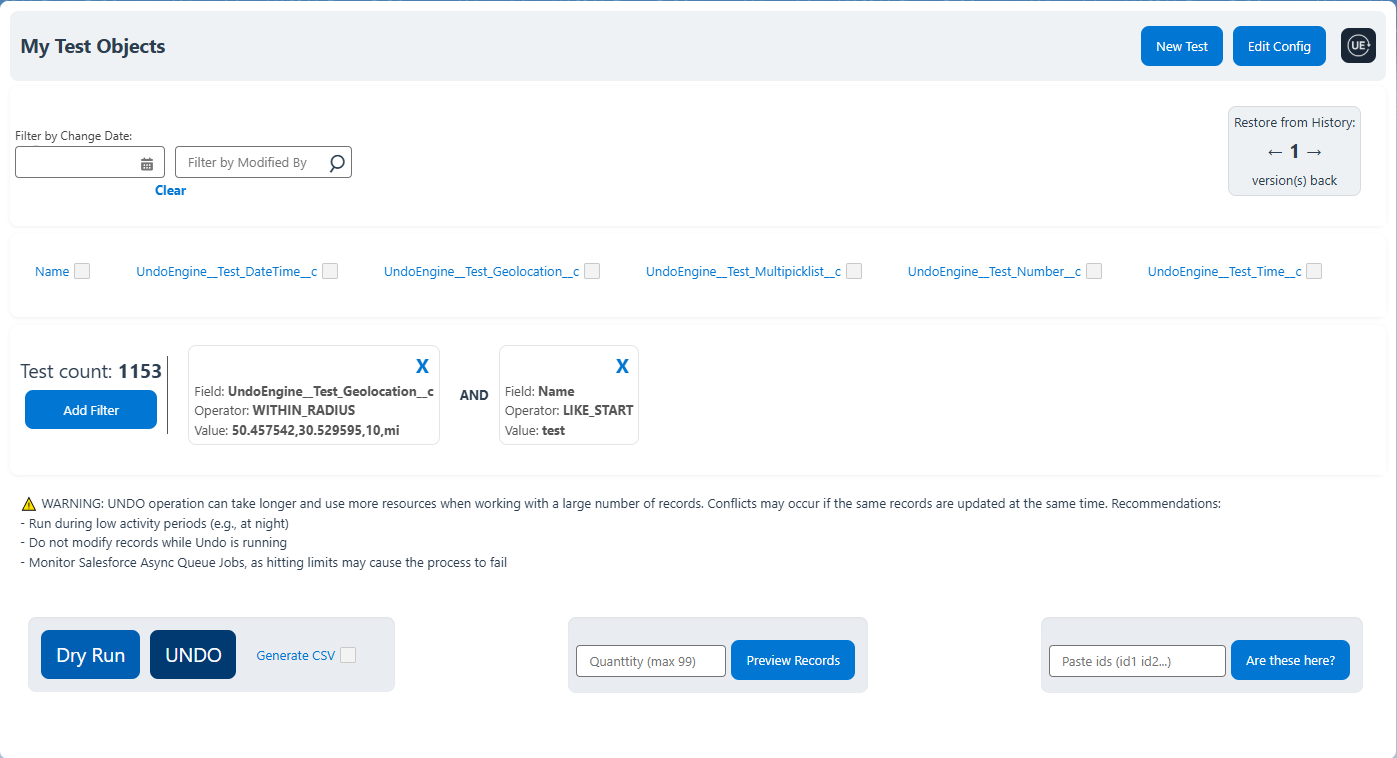
Unlike standard Salesforce List Views, this feature emulates List View behavior, bypassing platform limits. Includes a powerful SOQL-based engine and an exclusive Geolocation filter with special operators.

Thoughtful UX Design

UndoEngine prioritizes user experience with contextual tooltips and help texts throughout the interface. Data is displayed according to each user’s Salesforce locale, respecting date/time formats and time zones. Hover over values to see the exact UTC format stored in JSON — ensuring clarity for users and transparency for admins.

Built for Salesforce Scale

UndoEngine is designed to operate safely at enterprise scale. Asynchronous processing, configurable batch sizes and optimized history storage ensure reliable performance even with millions of record updates. The architecture respects Salesforce governor limits while providing powerful recovery and auditing capabilities for administrators.

Built-in Documentation & Tutorial

UndoEngine comes with comprehensive built-in documentation right inside the package. All features, settings, and instructions are well-structured and easily accessible via a dedicated left-hand tab, making it simple for users and administrators to get started without needing external resources.

Main Features

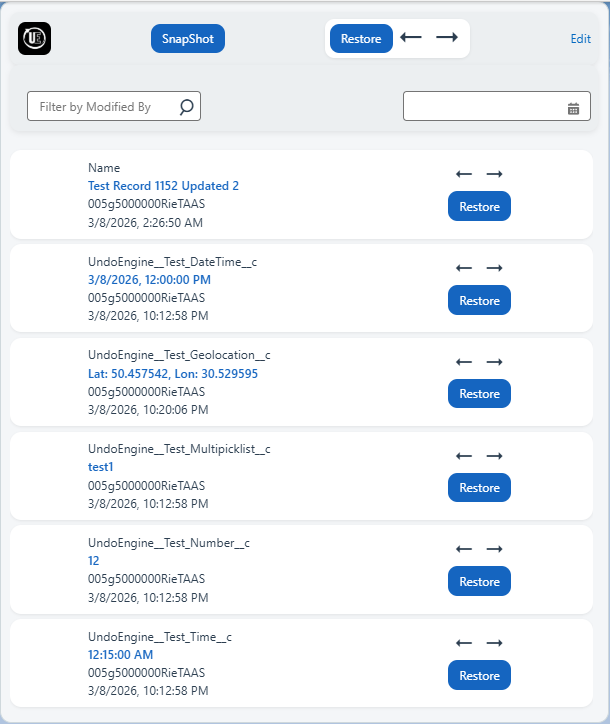
Record History Viewer

Record History Viewer

  • Field-by-field navigation
  • User & date filters
  • Rollback a single field, a set of fields, or restore the entire record
  • Interactive arrows for history timeline
Record History Viewer

Mass Update Interface

  • Custom list view engine bypassing standard Salesforce limits
  • Bulk undo operations with CSV audit
Record History Viewer

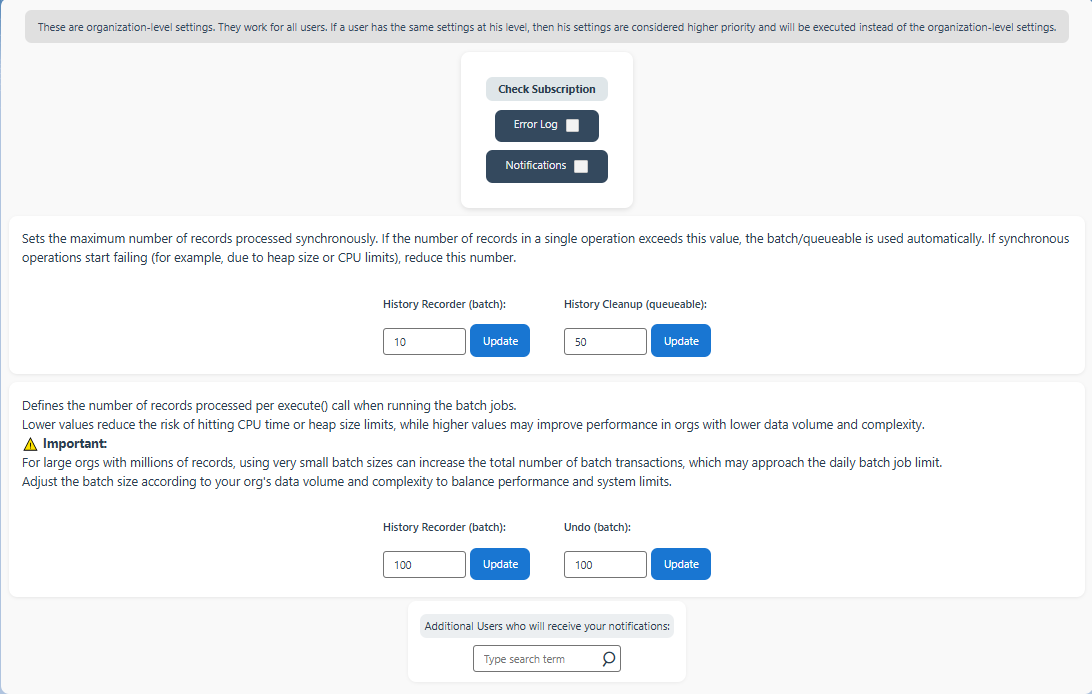
Settings UI

  • Custom error logs
  • Notifications on failures
  • Sync/async control
  • Batch size control

Platform Comparison

Capability Field History Typical AppExchange Tools UndoEngine
True Data Rollback Partial ✔ Full rollback
Storage Efficiency Low Low ✔ Compact JSON history
Field-Level Recovery Limited ✔ Yes
Flow-first Configuration Apex development required ✔ Ready-to-use Flow powered by Invocable Apex Action
Timezone Correctness Basic Often Broken ✔ Enterprise-grade
Managed Package Debugging Native ✔ Built-in Debug
Mass Update Recovery ✔ Premium

Product Editions

Feature Standard — $220 / month per Salesforce org Premium — $480 / month per Salesforce org
Organization Level Settings
Custom Error Logging
Error Notifications
Batch Processing Configuration
Single Record History Viewer
Field History Navigation
History Filters (User / Date)
Field / Record Rollback
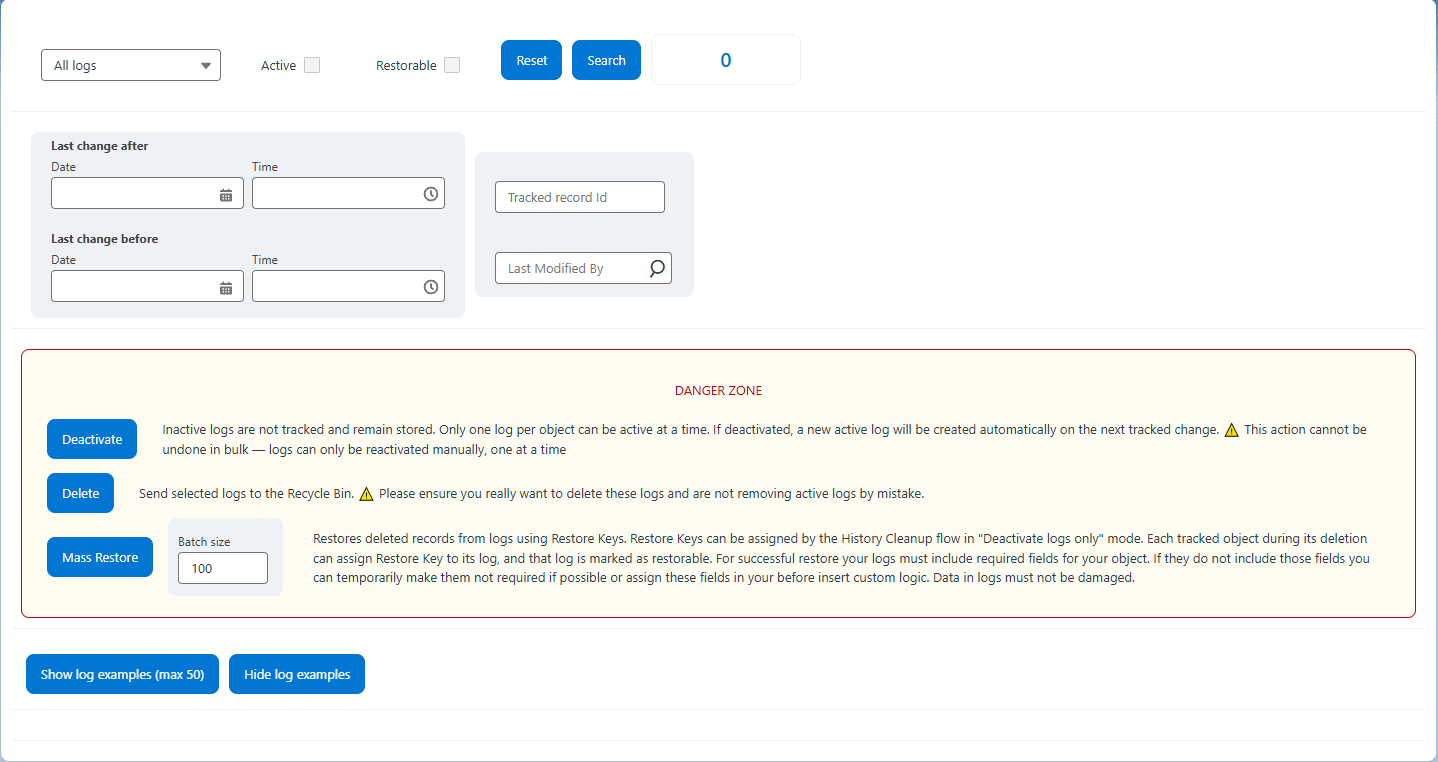
Mass Update Recovery
Custom List View Engine
Bulk Undo Operations
User Level Settings

Live Product Demo

See how quickly you can connect any object tracking — under 1.5 minute!

Mass Undo in action

Install UndoEngine Package

Choose the appropriate installation link depending on your Salesforce environment. Use the Production link for production or developer orgs, and the Sandbox link for sandbox orgs.

Production / Developer Org

Open Production Installation

Installation URL: https://login.salesforce.com/packaging/installPackage.apexp?p0=04tg50000004QFF

Sandbox Org

Open Sandbox Installation

Installation URL: https://test.salesforce.com/packaging/installPackage.apexp?p0=04tg50000004QFF


Activate Your Package

After installing the package, please send an email to activate your access.

Email: support@undoengine.com

Please include the following information in your email:

Providing this information allows us to activate your package quickly.